
Compliance training software does more than tick a box—it drives results. Teams that switch to purpose-built compliance training software hit 95 percent completion rates, versus 67 percent when managers juggle spreadsheets, yet regulators still issued about $4.6 billion in fines in 2024 (Continu).
Those numbers make the stakes plain. When required courses slip, audits turn stressful, reputations wobble, and budgets suffer.
In this guide, we’ll walk you through the ten best platforms for 2026, each one packing audit-ready tracking, automated reminders, and clear reporting. You’ll see which option fits your size, sector, and tech stack so you can assign, track, and prove every required course—without breaking a sweat.
- Our research & methodology
- Scoring criteria: what matters most
- 2026 comparison snapshot
- GoSkills: plug-and-play compliance for lean teams
- TalentLMS: automation power that grows with you
- 360Learning: turning mandatory training into a two-way conversation
- Docebo: enterprise-grade compliance with an AI co-pilot
- Absorb LMS: polished interface, powerhouse analytics
- Litmos: rapid rollout and mobile-first engagement
- WorkRamp: one platform, many audiences, iron-clad signatures
- EasyLlama: micro-courses that fit in a text message
- Cornerstone OnDemand: compliance engine for global enterprises
- iSpring Learn: quick DIY courses powered by PowerPoint
- Buyer’s checklist: choose with confidence
- Future-proof trends: where compliance training heads next
Related Articles
-
 Employee Training and What is Required
-
Ten Reasons Why Employee Training Is Worth the Investment
-
What Are Your Rights When Continuing Education While Working?
-
New-Age Benefits: Innovative Ways for Employers to Support Employ…
-
Digital Accessibility for Remote Work: 10 Key Tips
-
How to Prevent Workplace Violence
-
How to Promote Workplace Safety Awareness
-
Five Ways to Help Employees Feel Safe to Return to Work
-
What Are the Basic Elements of Sexual Harassment Training?
-
Clearing up the Confusion Regarding Bias Training for Federal Emp…


Our research & methodology
We started wide, then zoomed in. First, we screened more than 50 learning platforms across analyst reports, demo portals, and user forums. That scan flagged every vendor claiming to solve compliance pain.
Next, we hands-on tested 15 finalists in sandbox accounts. We checked audit-trail exports, certificate settings, automation rules, and mobile flow. Each feature earned a score on a 100-point rubric, and audit-trail strength carried 20 points because regulators ask for proof first, polish later. We layered live sentiment from G2, Capterra, and Reddit on top, filtering out marketing gloss.
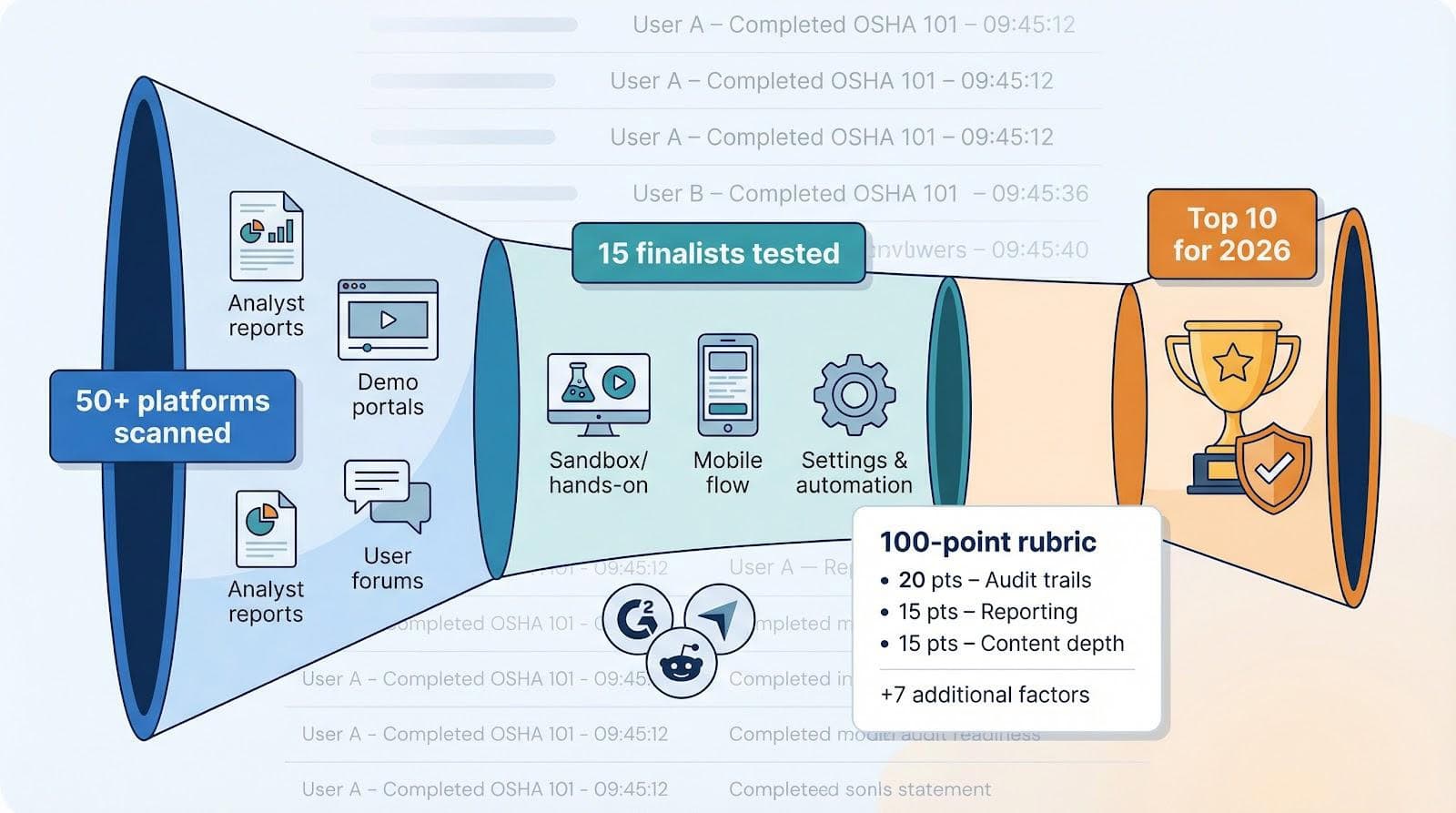
Platforms that paired airtight tracking with everyday usability floated to the top; the rest sank. The survivors make up the shortlist you’ll read next, so you can skip guesswork and move straight to a proven pool.
Scoring criteria: what matters most
Every platform on our shortlist cleared the same bar. We weighted ten factors, but three carry the most weight.
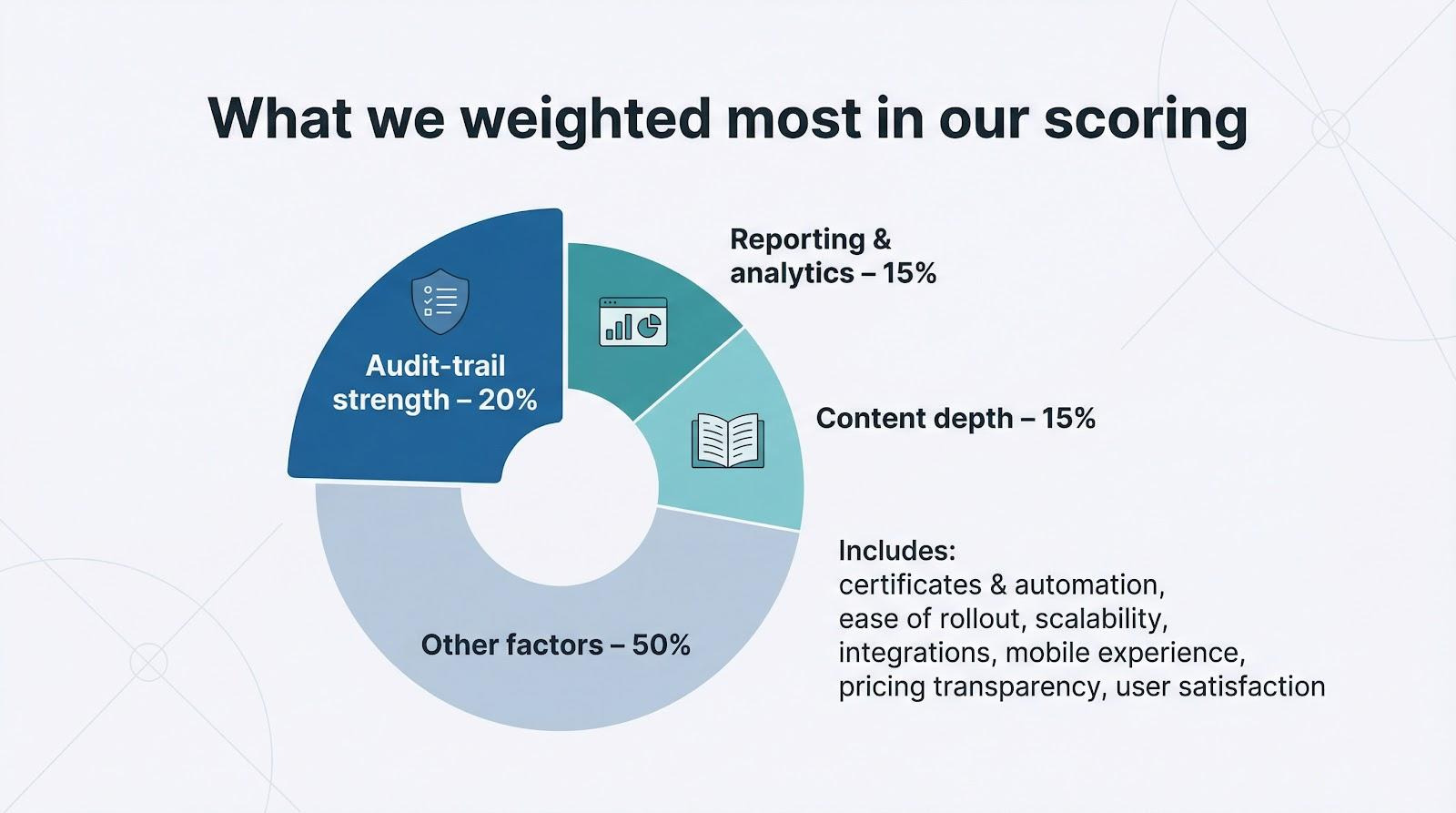
First comes audit-trail strength. If you cannot pull a time-stamped record in seconds, everything else is decoration. That single metric accounts for 20 percent of the score because auditors focus on proof, not polish.
Next, we reviewed reporting and analytics. Dashboards must show, in real time, who is compliant, who is overdue, and where bottlenecks appear. That clarity earns 15 percent.
The third pillar is content depth. A rich, always-updated library of OSHA, HIPAA, and harassment courses spares you from rewriting lessons every quarter, so it also carries 15 percent.
The remaining weight spreads across certificate automation, ease of rollout, scalability, integrations, mobile experience, transparent pricing, and user satisfaction. Together, these answers one question: will this tool still feel right two years from now?
2026 comparison snapshot
Before we dive into individual reviews, let’s zoom out and see how the ten finalists line up at a glance. Think of this as the quick-look dashboard you would share with your executive team before booking deeper demos.
| Rank | Platform | Stand-out strength | Audit-trail depth | Starting price* |
| 1 | GoSkills | Plug-and-play simplicity for small teams | Full logs, Excel/PDF export | Free, then about $29 per user monthly |
| 2 | TalentLMS | Automation rules that scale with headcount | Version tracking, certificate expiry | $69 per month for 40 users |
| 3 | 360Learning | Collaborative authoring that sparks engagement | Time-stamped actions, auto alerts | $8 per user monthly (Team plan) |
| 4 | Docebo | AI-driven assignments for large enterprises | Granular, segmented records | Quote only |
| 5 | Absorb LMS | Sleek UI plus large Amplify content library | Custom dashboards, auto renewals | Roughly $25K per year for 100 users |
| 6 | Litmos | Fast rollout and deep mobile app | Standard reports, policy sign-off logs | Tiered, trial available |
| 7 | WorkRamp | Built-in e-signatures for legal attestation | Signature PDFs, live analytics | Quote only |
| 8 | EasyLlama | Text-message microlearning for deskless staff | Certificate download, SMS audit mode | $19.95 per learner per course |
| 9 | Cornerstone | Enterprise muscle and global reach | 21 CFR Part 11-ready logs | Quote only |
| 10 | iSpring Learn | PowerPoint-to-course in one click | Simple transcripts, exportable | $3.66 per user monthly (100-user tier) |
*Indicative pricing, January 2026. Always confirm with the vendor.
A couple of themes stand out.
First, every platform in the top half pairs airtight tracking with time-saving automation. Second, pricing varies widely: you can start free with GoSkills, or spend six figures on Cornerstone. That gap shows why clarifying scope and budget early keeps evaluation honest.
You now have the bird’s-eye view. Up next, we will unpack the strengths and trade-offs of each platform, starting with our small-business favorite.
GoSkills: plug-and-play compliance for lean teams
GoSkills wins because it never feels like an enterprise system; marketed as simple employee training software, it lets most admins roll out their first courses and see progress in under an hour. You sign up, import your employee list, and within an hour every person sees a clean dashboard with their required courses. No IT tickets. No five-day onboarding webinar.
Behind that friendly face sits a powerful tracker. Each quiz attempt, certificate issue, and content update lands in a time-stamped ledger you can export to Excel or PDF in seconds. If an inspector shows up tomorrow morning, you will have proof ready before the coffee finishes brewing.
The built-in library covers OSHA basics, harassment prevention, cyber hygiene, and additional business skills. You can add your own slides or videos with the drag-and-drop builder, then set courses to recur automatically. That approach suits annual harassment refreshers or safety renewals.
Pricing stays predictable: a forever-free tier for small teams, then about $29 per user each month as you scale. For cost-conscious HR managers who still need reliable records, GoSkills balances simplicity, speed, and compliance confidence.
TalentLMS: automation power that grows with you
TalentLMS feels like someone added enterprise muscle to a startup-friendly frame. You spin up a portal in minutes, yet under the hood lives a rules engine that can auto-enroll every new manager into a compliance track, remind late learners on Slack, and reassign courses the moment a certificate nears expiry.
The version-control feature is a key asset. Update a GDPR module today and the system still records who completed last year’s edition, so you can prove exactly what content each employee saw when regulators ask.
Reporting stays clear. A compliance dashboard shows green for complete, amber for pending, and red for overdue; you never hunt through menus. Scheduled emails keep executives informed without midnight spreadsheets.
Pricing is transparent: the popular $69-per-month tier covers 40 active users and unlimited courses. As headcount grows, you slide to the next bracket without renegotiating a contract. That makes TalentLMS a smart choice for teams ready to double while keeping compliance overhead flat.
360Learning: turning mandatory training into a two-way conversation
Most compliance courses feel like passengers on a slow train: sit still, watch the scenery, wait for the conductor to stamp your ticket. 360Learning changes that by letting employees talk back.
Each module includes a comment feed, so a warehouse worker can ask the safety officer a real-world question inside the lesson. Those discussions stay attached to the record, showing auditors that training is not just delivered but also absorbed.
Content creation is collaborative. Drag in a PowerPoint, add quiz questions, and invite your GDPR specialist to refine the wording. The system tracks every edit and version automatically, keeping a clean audit trail without extra clicks.
Automation covers the routine work. New hires are auto-enrolled. When a certificate nears expiry, the system sends a Slack reminder. Need refresher courses in Spanish? The platform localizes content instantly. At $8 per user on the Team plan, this mix of collaboration and control suits mid-size companies that rate engagement as highly as evidence.
Docebo: enterprise-grade compliance with an AI co-pilot
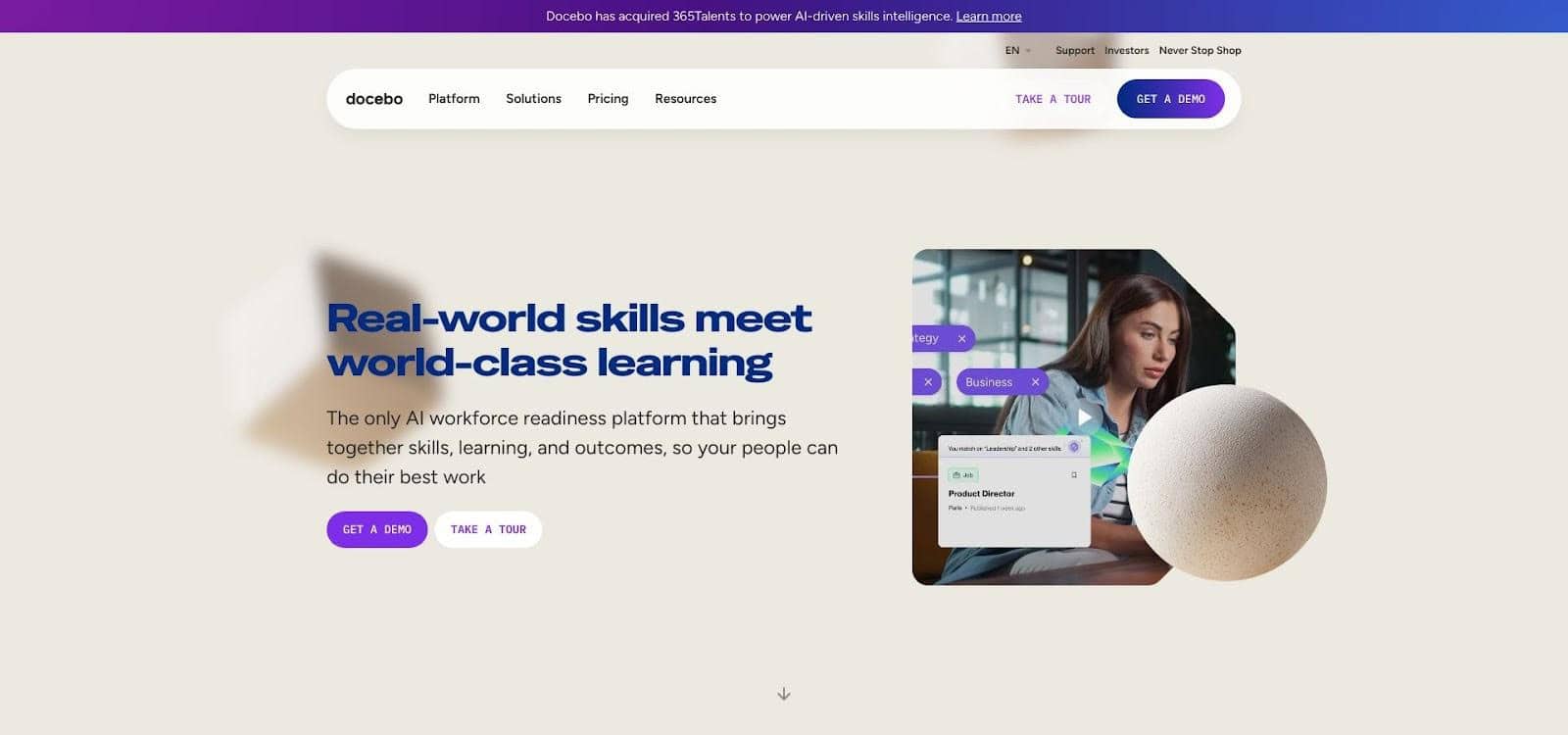
Docebo enterprise compliance management and AI rules engine screenshot
Docebo shines when your org chart spans continents. Multiple business units, dozens of languages, and strict industry rules are all managed in one place without extra strain.
The AI rules engine is the signature feature. Promote someone to supervisor, and Docebo assigns the Manager Compliance Pack, sets a refresher schedule, and notifies their dashboard. The same intelligence spots skill gaps and recommends micro-lessons between annual mandates, turning compliance from a box-tick into continuous risk reduction.
Reporting drills deep. Need a heat map of overdue OSHA refreshers in plants with fewer than 500 employees? Two clicks. Want to align quiz scores with safety incidents? Connect the API and review the insight.
Docebo costs more and implementation takes time, yet large enterprises trade dollars and hours for a platform that scales, localizes in 40 languages, and satisfies 21 CFR Part 11 signature requirements. When auditors visit every month, Docebo feels like insurance.
Absorb LMS: polished interface, powerhouse analytics
Absorb pairs visual appeal with rigor. Learners log in to a modern, tile-based portal, while administrators see a dashboard built for audits.
The Amplify course library is the first draw. More than 300 OSHA, HIPAA, and ethics titles activate the day you sign, each maintained by subject-matter experts so you never chase legal updates.
Absorb Analyze converts raw completion data into visuals any executive can read. Heat maps highlight departments flirting with non-compliance, and trend charts show how refresher campaigns cut incident rates.
Automation handles renewals in the background. When certificates expire, the system re-enrolls users, sends reminders, and records every action for easy proof. Add optional observation checklists, and even hands-on safety drills gain a digital trail.
Licensing begins around $25,000 per year for 100 users, a cost midsize and enterprise firms accept because Absorb removes two major headaches: creating content from scratch and wrestling data into insight.
Litmos: rapid rollout and mobile-first engagement
Litmos moves fast. Sign up on Monday, assign courses on Tuesday, and watch completion charts rise by Friday. That pace matters when new regulations arrive and deadlines loom.
The out-of-the-box library offers more than 1,000 compliance modules. Pick a bundle—harassment, PCI DSS, HIPAA—and employees can launch lessons from any device, even offline through a refined mobile app. Progress syncs as soon as they reconnect, so field teams keep their credit.
Managers rely on the team dashboard. One glance shows who is green, yellow, or red on training status, nudging supervisors, not HR, to chase laggards. Policy acknowledgments sit in the same record, giving you a single source of truth when attorneys request proof.
Reporting stays simple. If you need deep analytics, look elsewhere, but for companies that prize speed and ease over data science, Litmos delivers compliance while the coffee is still warm. Pricing is tiered and transparent, with a free trial to test the waters.
WorkRamp: one platform, many audiences, iron-clad signatures
WorkRamp sits between SMB simplicity and enterprise ambition. It handles employee compliance, customer education, and partner enablement from a single console, so you never juggle multiple systems or data silos.
The standout feature is e-signature capture. At the end of a course, learners type their name, and WorkRamp stores a tamper-proof PDF alongside completion data. When legal counsel requests proof of acknowledgment, you can retrieve it in two clicks without installing a plug-in.
Authoring is template-driven. Drag in slides, layer quizzes, and record micro-videos with your webcam. If you already use SCORM content, import it and track it like native lessons.
Live analytics refresh instantly. Launch a compliance campaign on Monday morning and watch the dashboard rise as employees finish modules. Filters let you isolate contractors, franchises, or any custom group, ensuring each stakeholder sees only what matters.
Pricing falls between entry-level tools and high-end enterprise suites, making WorkRamp a solid choice for fast-growing companies that need compliance control today and room to expand tomorrow.
EasyLlama: micro-courses that fit in a text message
EasyLlama trims compliance to the essentials, serving short, mobile-first lessons by SMS or email link. Employees tap the link, finish a five-minute module between tasks, and the system records every click. No passwords, no excuses.
The library targets key topics: harassment, DEI, HIPAA, and cybersecurity. Each course aligns with state rules, so California supervisors receive the longer AB1825 version while New York staff get the annual refresher.
Completion reports sit in an “Audit Mode” dashboard. Need certificates? Download them in bulk, already branded with your logo and the legal citation. For small businesses that dread audits, that single screen brings welcome relief.
Pricing is pay-per-learner, about $20 per person per course, so you pay only for what you use. If you add headcount or new locations, costs rise predictably without negotiation. EasyLlama offers the quickest route from zero to compliant, especially for non-desk workforces that prefer a tap over a login.
Cornerstone OnDemand: compliance engine for global enterprises
Cornerstone targets organizations where a missed training can halt a factory line or invite a regulator’s fine. The platform supports more than 10,000 learners across multiple business units while maintaining strict data controls.
Certification paths are granular. A supervisor might complete three e-learning modules, two instructor-led sessions, and a policy acknowledgment, all in sequence and tracked to the minute. Cornerstone then auto-assigns refreshers years later, so you never chase expirations.
Reporting digs deep. Need proof that a South American plant’s forklift drivers finished OSHA equivalency before last quarter’s audit? Filter by region, role, and curriculum, then export a transcript ready for the inspector.
Cornerstone requires seasoned administrators and a sizable budget, yet enterprises adopt it because the system scales, integrates with the full talent suite, and meets global security standards. When compliance is mission-critical, the investment delivers peace of mind.
iSpring Learn: quick DIY courses powered by PowerPoint
iSpring Learn attracts teams that already build in PowerPoint and want those decks to double as audited training. Install the iSpring add-in, click “Publish to LMS,” and your presentation becomes a SCORM-tracked course with quizzes, interactions, and certificates.
The LMS mirrors that simplicity. Org-chart syncing pulls departments from your HR system, so assigning a safety module to warehouse staff takes three clicks. Automated emails remind late learners, while the compliance matrix report lists every required course against every employee in a tidy grid.
Storage is unlimited, useful when legal asks you to keep video evidence or multi-year training archives. A fast mobile app with offline mode lets field technicians finish modules on site even when reception drops.
At about $3 per user each month for a 100-user tier, iSpring Learn combines low cost, built-in authoring, and records that withstand an audit—no e-learning developer required.
Buyer’s checklist: choose with confidence
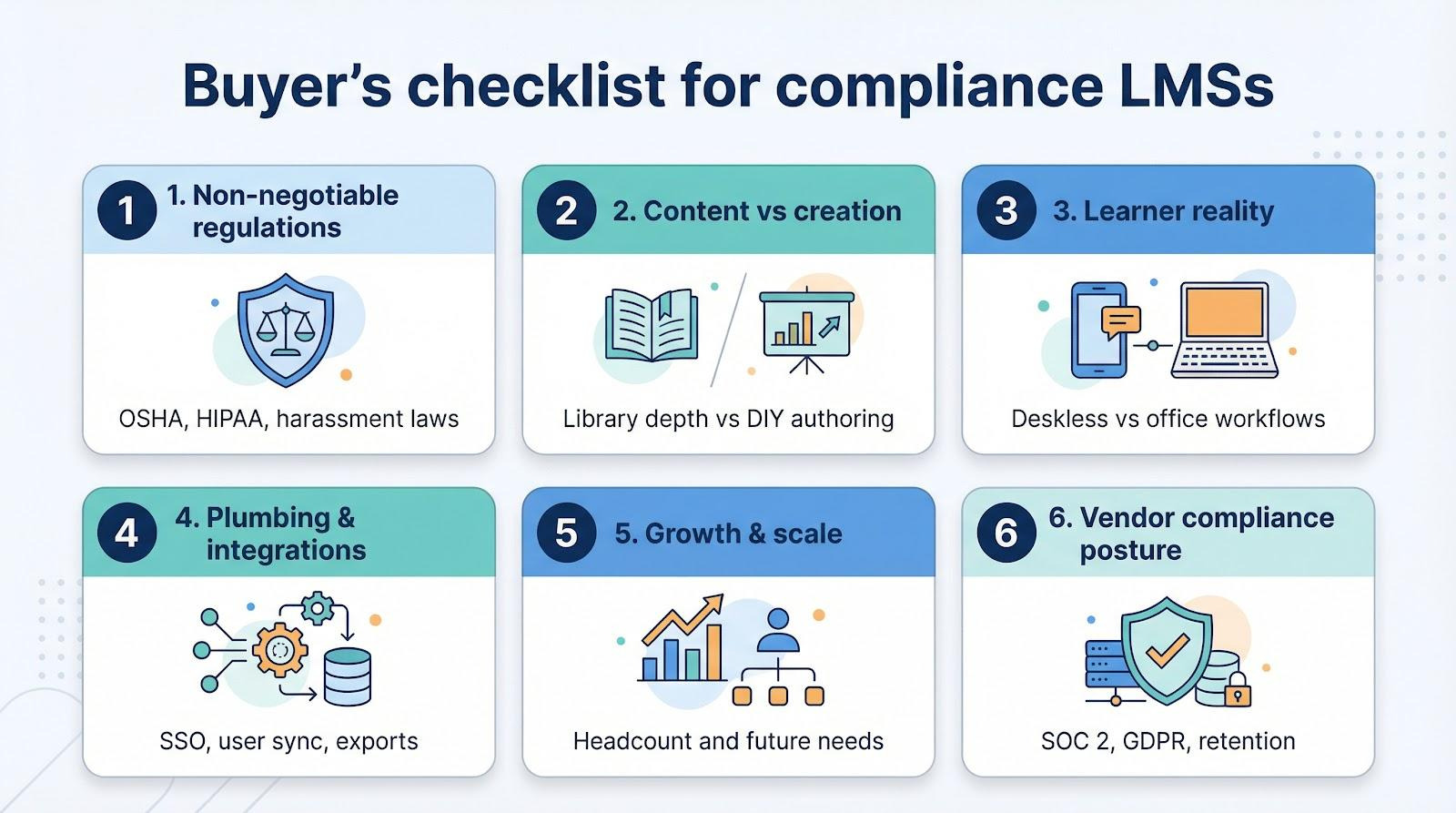
The flashiest feature set means little if it does not solve your compliance puzzle. Before you sign a contract, walk through six quick filters. They keep discussions honest and budgets on track.
Start with non-negotiables. List the laws you must meet—OSHA, HIPAA, state harassment rules—then confirm the platform supplies courses or authoring tools that map one-to-one. If a vendor hesitates, move on.
Second, weigh content against creation. Teams without designers need a deep, regularly updated library. If you already own polished slides, favor an LMS that converts PowerPoints into tracked courses in minutes.
Third, match the tool to your learners’ reality. Deskless staff prefer text-link microlearning; office workers lean toward dashboards. The easier it is for employees to launch a course on their everyday device, the faster completion rates rise.
Fourth, inspect the plumbing. Automatic user sync, single sign-on, and easy data exports free you from manual spreadsheets. Ask vendors to demo these flows live—slides alone do not count.
Fifth, forecast growth. Today you train 200 people; next year a merger may double that. Select pricing that scales predictably and a feature set you can grow into without swapping platforms.
Finally, verify the vendor’s own compliance posture. SOC 2, GDPR readiness, and long data-retention options matter because your audit trail stays safe only if their infrastructure does.
Work through these six filters and the shortlist you built earlier will narrow to the one platform that truly fits.
Future-proof trends: where compliance training heads next
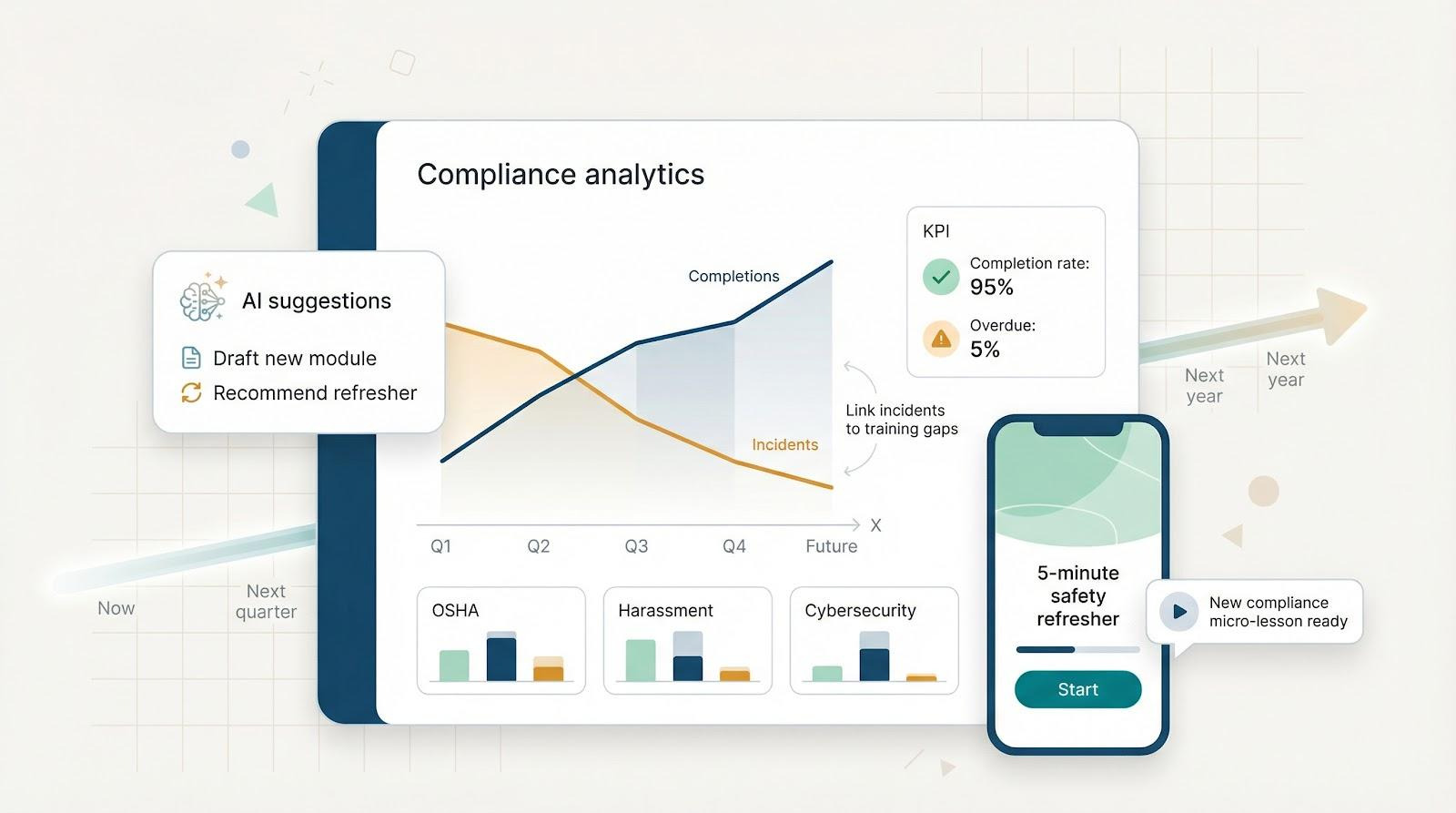
Compliance training is moving beyond an annual checklist toward continuous risk management. Three shifts stand out.
First, AI is advancing from novelty to necessity. Systems already suggest refresher micro-lessons based on quiz gaps; soon they will draft new modules the morning a regulation changes and push them only to the roles affected. That shortens the lag between law and learner.
Second, microlearning will dominate delivery. Five-minute bursts, often inside Slack or Microsoft Teams, keep policies top of mind all year. Vendors that master friction-free mobile pushes will see higher completion rates and stronger knowledge retention.
Finally, analytics will connect training to real-world outcomes. Forward-looking dashboards will overlay incident data on course completions to reveal when safety scores dip after refreshers lapse. That closes the loop from lesson to impact and helps justify budget at the board level.
Choose a platform that already shows signs of these capabilities, and you will not need a costly replacement when tomorrow arrives.