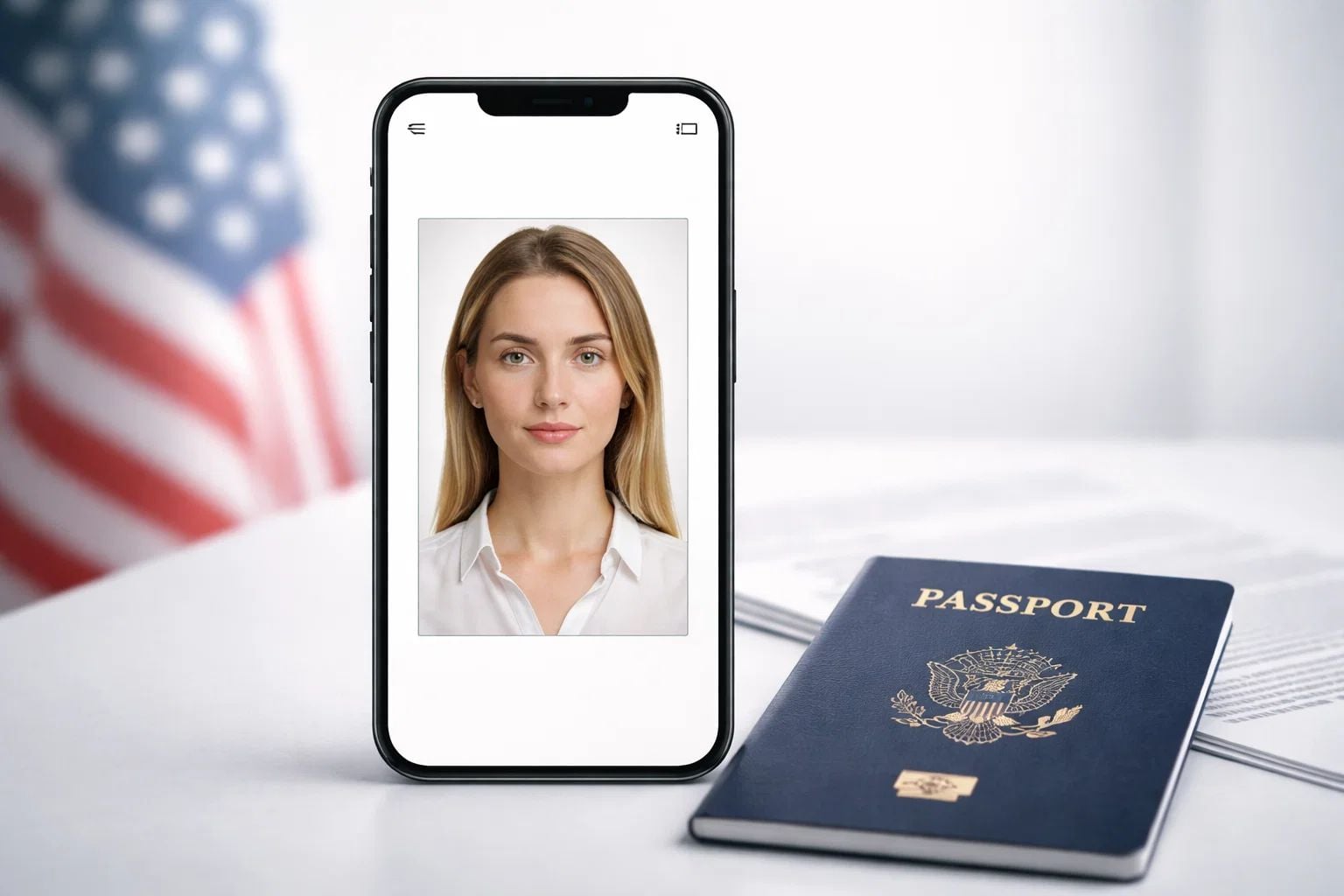
A free passport photo app will allow you to crop, size, and format a photo to bring it closer to the official specifications, but the app will never be endorsed by the government. It’s about whether the final photo complies with the regulations for your country, document type, and submission method, in terms of background, pose, image quality, and file type. There are many free apps that do a great job of preparing your photo for submission, but they won’t be able to prevent rejection if your photo breaks an official rule or if the issuing authority deems that your photo is unacceptable.
Related Articles
-
 Navigating the Legal Landscape of Travel: Your Essential Guide
-
How Often Should You Start Your Car? Tips for Better Engine Healt…
-
What should I do if I was injured while in a different state?
-
4 Ways HR Leaders Can Support Corporate Travelers
-
The Role of Employment Law in Sustainable Business Travel
-
What to Do After a Business Trip Accident
-
Navigating the Gray Area of Personal and Workplace Injuries


What a Passport Photo App Actually Does
A passport photo app is just a formatting app. It makes your regular phone photo more in line with passport or visa submission standards by cropping, centering the face, changing the canvas size, and saving the file in a convenient format. That can be especially helpful when an application asks for a digital upload rather than a printed photo. That said, even when an app gets the layout right, the final image is judged by the issuing authority by its own rules for pose, lighting, background, file type, and likeness.
Most passport photo apps cover the following practical aspects of preparing your photo for submission:
- crop the image to a specific size for the document
- align the template with the person’s head
- place the photo on a white or light background
- download output for web or print
- help with page layout for multiple copies on a sheet
- alert the user to common problems with the image, such as framing or low contrast
These types of features are handy because the official regulations can be very prescriptive. US passports require a square 2 x 2 inch passport photo for the printed application, and they have technical rules for online uploads, including allowed file types and file size limits. The UK says you need a digital photo for online passport applications, and says the photograph used should have a plain light-coloured background, be evenly lit, and have no objects behind the subject.
What an app cannot do is ensure that it will be accepted. And it isn’t enough to rescue a bad initial photo if the face is turned, shadows are cast by the lighting, the expression is improper, the photo is blurry, or the photo has been altered in a way that the agency does not permit. The US State Department specifically says not to edit your photo with computer software, phone apps, filters, or AI, and it warns that government systems may still reject an image that appears to be technically formatted, but visually non-compliant. In other words, the app facilitates the preparation of your file for submission, but it is not a substitute for the official requirement.
What Government Standards Matter Most?
A passport photo app is only worth getting if it actually helps you meet the requirements government offices actually enforce. These specifications depend less on the name of the app and more on whether the final image is clear, natural, properly sized, and easy for passport officials or automated systems to review. Among large government providers, core themes are repeated time and time again: your face should be easy to identify, the background should be uniform and plain, the photo should be in focus, and you shouldn’t try to alter or edit the photo to change your appearance.
Composition and Pose
The first set of rules deals with how the individual looks in the shot. You must face the camera directly with a full-face view, both eyes open, and a neutral expression in the U.S. Canada follows the same general idea of neutrality, and it’s very straightforward: eyes open, looking directly at the camera, mouth closed, no smile, and no frown. The regulations of the UK are very similar, with the person required to face forward, look directly into the camera, and maintain a neutral expression with the mouth shut.
It means a free app might help get your head in the right part of the frame, but it’s not going to actually fix these issues if the original photo is way off:
- your head is tilted
- your face is turned slightly to one side
- you are smiling too much or making some kind of unnatural expression
- your hair is in your eyes
- glare obscures at least one of your eyes, or at least one of your glasses’ frames blocks your eyes
- your shoulders are awkwardly cropped
In practice, this is one of the biggest drivers of people’s misconceptions about what apps can do. A crop guide can help with alignment, but it can’t magically transform a casual snap into a compliant photo if the stance and expression are already breaking the rule. Government pages generally treat the original capture as the basis for compliance.
Background and Lighting
The next big standard is the surroundings of the subject. The U.S. requires a stark white or off-white background, free of shadows, texture, or lines. The UK needs a plain light-coloured background, which must plainly contrast with the person’s face, and no shadows may fall across the face or behind the person. Canada also has a plain background requirement and a similar description for face-to-background contrast.
Lighting is just as important, if not more important, than background color. The U.S. requests that lighting be consistent and cautions that side lighting and overhead lighting will create shadows that conceal facial features. Canada requires lighting on the subject to be evenly distributed. The photo must be clear, crisp, and in focus, with no shadows, glare, or flash reflections.
This is where a lot of free apps surprisingly feel more competent than they really are. They might have background clean-up or auto-whitening, but the official guidance still wants the photo to start out as a clean shot. If the source image is heavily shadowed, over-exposed, or artificially altered, the end result may not be satisfactory, even if the app cleans up the mess on your screen. The US and UK also both explicitly disallow digitally manipulated or filtered photos, so “fixed” does not necessarily mean “allowed.”
Format of the File, File Size, and Print Quality
The third set of standards relates to technical delivery. For a U.S. passport application for applicants age 16 and older, the printed photo must be 2 x 2 inches, and head size from chin to the top of the head should be between 1 inch and 1 3/8 inches. All photos must be in color and printed on plain photo-quality paper with no visible pixels. U.S. file formats for online renewal uploads include JPG, PNG, HEIC, or HEIF, with a file size limit of 54 KB to 10 MB.
Dimensions are different in other countries. Canada requires a 50 mm x 70 mm photo, with the height of the face from chin to crown between 31 mm and 36 mm. Digital photo guidance for the UK states photos should be at a minimum 600 pixels wide by 750 pixels tall and be between 50 KB and 10 MB.
These technical guidelines are important because they reveal what the limits of a passport photo app really are:
- a file can usually be resized by an app
- a supported format can usually be exported by an app
- an app can lay out a print properly
- an app can’t override the wrong national standard size
- it can’t save a blurry, pixelated, or heavily modified source image
So when people ask if a free passport photo app “complies with government standards,” the honest answer is that the app can assist with the format, but the final image still needs to conform to the government’s requirements for content, quality, and type of submission. That’s the criterion that determines acceptance.
Free Apps vs. Real Compliance
Free passport photo apps tend to be best at those parts of the process that can be standardized. They can crop an image, insert the face into a crude template, save a file in a standard format, and in some cases create a print sheet. Those are truly useful features, as a lot of people become stymied by trivial technical problems before an application ever gets reviewed.
But a photo is not approved by official agencies just because an app says it’s compliant. They give the seal of approval only if the resultant image meets the real rules for that document and method of submission. The U.S. online renewal system, for instance, includes a rudimentary photo review upon upload, then a government employee conducts a second review of the image. The UK also states that you are more likely to get your photo accepted if you take it in a booth or shop rather than on your own device.
| Capability | What Free Apps Are Capable of | What Still Is Up to the Government | The Risk of Failure |
| Crop and framing | Resize the canvas and place the face in the middle | Head size, shoulder framing, and the usability of the original photo file | Medium |
| Background cleanup | Brighten or make the background simpler | Whether the background is natural, plain, and unretouched enough for the authority | Medium to high |
| File export | Save as a popular digital format | Whether the format, file size, and quality of the image meet the requirements of the application | Low to medium |
| Print layout | Print multiple copies on one page | Whether the final printed size, paper quality, and sharpness meet the official requirements | Medium |
| Basic checks | Report obvious problems like tilt or poor contrast | Final approval after human or official system review | Medium |
| “Compliance” labels | Display a template or app-generated warning | Whether the country’s real rules are the same as the app’s template, and whether the photo truly meets them | High |
The divide becomes more obvious when you separate formatting from compliance. Formatting is what software does well. Compliance is more than that. It’s got expression, lighting, whether your face is visible, the strength of the background, editing limitations, and even sometimes how the photo was taken. Canada is a good illustration of why this is important: its passport instructions say the photo must be taken in person by a commercial photographer or photo studio, and printed on high-quality photographic paper. Thus, a free app may still have some use in understanding composition, but it no longer meets the production bar for that option path.
In use, free apps tend to be best for:
- helping users estimate crop and face position
- digital file preparation for upload
- minimizing obvious errors prior to submission
- facilitating home printing, where permitted
- deriving value from an already good original photo
The problem is always the original image. If it’s blurry, heavily processed, shadowed, poorly lit, or taken from the wrong distance, the app is mostly just putting a pretty filter on a bad input. U.S. instructions specifically advise against altering a passport photo with computer software, phone applications, filters, or AI, and the online renewal site warns users not to apply filters or use retouching tools that alter their appearance. So a free app can be a helpful assistant, but you should still take the photo right the first time.
Is there a simple answer for what’s fairest? A free passport photo app can definitely help you get closer to government standards, and sometimes it is enough. But it is not the same as being compliant by default. True compliance is determined at the end of the process, when the final product is evaluated against the official guidelines, not when an app produces a preview that looks right on your screen.
Why Country Rules Change the Answer
One reason people are confused about passport photo apps is there’s not one universal rulebook for every passport and visa photo. The same app could be perfectly fine for one country’s online uploading system and completely inappropriate for another country that insists on a professionally printed photo or has a different size standard. That’s why an app stating it supports “passport photos” is never sufficient by itself. You still have to comply with the exact regulations of the authority that receives the picture.
Digital processing can be considered suitable in a system such as that in the United States, but with very particular rules attached. Standard U.S. passport photos must be 2 x 2 inches on a white or off-white background, and you must show your full face clearly, without any digital modifications using apps or filters. The State Department allows renewal-by-mail upload files in JPG, PNG, HEIC, and HEIF formats and establishes a file size minimum and maximum of 54 KB to 10 MB. For a free app, you can probably do cropping and export, but you still have to stay within a rigid set of composition and editing constraints.
The United Kingdom solves the same issue with a slightly different answer. Printed pictures are used for paper application forms, while digital photos are submitted for online applications. The UK says you also need a plain light-coloured background, evenly lit, no shadows, no objects behind the subject, and a natural expression with the mouth closed. In addition, the size of the digital image must conform to certain limitations, be at least 600 pixels wide and 750 pixels tall, and the size of the file must be between 50 KB and 10 MB.
Canada is where the free app starts to really show its limits. Instructions for Canadian passports state that the photos must measure 50 mm in width and 70 mm in height, and that the length from chin to crown of the face should be between 31 mm and 36 mm. More significantly, the official standards specify that the photos must be taken face-to-face with a commercial photographer and professionally printed on high-quality photographic paper. In that context, an app could be helpful for getting the hang of the framing rules, but it’s not a full substitute for the necessary production work.
Schengen visa procedures introduce an additional layer of complexity. EEAS guidance says that applicants for a Schengen visa must submit a recent photo that meets ICAO standards. That sounds simple, but in practice it means that the app needs to be tested not just against a broad “passport photo” standard, but against the specific visa process and the country-specific rules using those ICAO-based rules. These are just a few reasons why you need to take a universal compliance claim from a free app with a grain of salt.
| Jurisdiction | Digital or Printed Submission | Key Size or File Rule | Editing Restriction or Special Note |
| United States | Standard photo submission must be printed; digital file can be used for online renewal | Printed photo: 2 x 2 inches. Online upload: 54 KB to 10 MB in JPG, PNG, HEIC, or HEIF | Don’t edit the photo with software, phone apps, filters, or AI |
| United Kingdom | Digital for online applications, printed for paper ones | Online image file: minimum dimensions of 600 x 750 pixels, file size of 50 KB to 10 MB | Even lighting and plain light-coloured background, with no objects behind the subject |
| Canada | Printed photos required | 50 mm x 70 mm. Face height 31 mm to 36 mm | It has to be shot in person by a commercial photographer, then professionally printed |
| Schengen visa process | Depends on the visa application path | Photo must meet ICAO-based requirements | The procedure within consulates and states may differ even within the larger Schengen system, so these are just basic guidelines |
The larger takeaway here is that country rules redefine what “good enough” means. In one system, a free app may be a viable option, since the biggest hurdle is getting the files ready. In another, the issue isn’t file prep at all; it’s the way the photo was taken and printed. This is why the best way to rate any passport photo app is not by the number of features it has, but by how closely those features match the country and submission type you are actually interested in.
Why Passport Photos Get Rejected
Most rejections for passport photos don’t occur because someone used the “wrong app.” They occur when the finished photo violates one or more visible rules that officials or system uploads know how to identify and catch. Bad lighting, poor-quality images, wrong pose, poor background separation, and even photoshopping or equivalent image manipulation are all consistently flagged in U.S., UK, and Canadian rules.
Technical Problems
It’s these technical errors that tend to be the least visible in the image and easiest to overlook on a phone screen. A “good enough” photo in a gallery preview might not make the cut when you zoom in, print it out, or check it against upload rules. U.S. guidance states that passport photos need to be high resolution, not blurry, grainy, or pixelated. Digital photos must be sharp, in focus, unedited by software, and meet certain pixel and file size requirements, according to the UK. Canada says images must be clear, sharp, and in focus, and free of shadows, glare, and flash reflections too.
The following are common causes for rejections:
- blurry or out-of-focus images
- pixelated or grainy images
- lighting that is too bright or too dim
- shadows on the subject’s face or in the background
- file size or dimensions that do not conform to the upload guidelines
- a printed photo that’s been scanned
- torn photos, stains, folds, or low-quality paper
These are precisely the sort of problems a free app only partially addresses. It might be useful for resizing a file or designing a print layout, but it can’t add genuine detail to a poor-quality picture or take away blatantly bad lighting without producing results that make the image less usable. In the U.S. and UK, non-manipulated photographs are explicitly specified as part of the official standard, which is why so much digital “enhancing” introduces new complications instead of resolving original ones.
Visual and Composition Issues
The next large element is visual conformity. This is where a photo can be technically in focus and still not pass because the subject is misaligned or the background is not compliant. U.S. instructions state the subject must look straight at the camera, have both eyes open, and have a head size within a specified range. The UK states that the subject must be facing the camera and looking directly at it, with a plain expression, and with no shadows or objects in the photo. Canada requires the face and shoulders to be centered and square to the camera, the expression to be neutral, and the background to be plain white or light-colored with sufficient contrast to separate the face from the background.
That gives you a stubbornly predictable set of visual blunders:
- head tilted or turned away slightly
- smiling, frowning, or other facial expressions that could be considered over the top
- hair over the eyes
- glasses glare or frames covering the eyes
- patterns, textures, objects, or people in the background
- poor contrast between clothes, skin, and background
- face cropped too tightly or positioned too high or low
- shadows that obscure edges of the face or other facial features
Some of these errors seem trivial, yet governments consider them identity and screening flaws, not style problems. A tilt, an uneven shadow, or poor contrast between a subject’s face and the background can make a photo just a little more difficult for people to assess consistently. Canada also cautions that white clothing can blend into the background and lead to a refusal. This is a good example of why a free passport photo app can be useful but not decisive: it can help with composition, but it cannot change whether the image itself meets the visual requirement.
The trend is very simple overall. Rejections are typically issued when the photograph is deficient at the time it is taken, not when it is processed. That’s why the safest mentality is to use a passport photo app as a formatting helper, not as assurance that the image is good to go. The application can assist in minimizing mistakes, but the actual pass-or-fail determination still rests on whether the final photograph that you submit complies with the official rules in quality and appearance.
Some Myths About Free Passport Photo Apps
People tend to overestimate the authority of passport photo apps. It’s because the interface is precise, the templates are official-looking, and words like “passport ready” or “compliant” have more finality than they should. But an app, a template, or a marketing label is not approved by any government agency. Governments compare the final photographs to their own regulations with respect to size, position, background, image quality, and editing.
“If the App Says Compliant, the Government Must Accept It”
Probably the most prevalent myth, and the most damaging. A free app can check your image against a pre-loaded template, but that’s not the same as an official ruling. The U.S. is pretty explicit about what happens in the online renewal process: an initial screener looks for obvious issues with the photo, and a government worker reviews it later if there’s a question. Which means that an image that meets with approval in-app may still get rejected on final review.
What a typical app is used for:
- checking approximate size or crop
- helping center the face
- exporting the file to a supported format
- alerting you to obvious problems such as tilt or very low contrast
But it does not replace the assessment of the passport agency. That is why being “compliant” in an app is a helpful signal to look for, and a consideration to take into account, but certainly not a guarantee. The app may be correct about the formatting and still leave you with an issue involving lighting, background quality, facial expression, or an edit that makes the photo unacceptable.
“Background Removal Is Always Permitted”
Many people think a free app can pretty much change any background you want as long as the end result is white or light-colored. The reality is that official guidelines are not just about how the background should look, but also whether the photo seems natural and unedited. The U.S. says don’t edit your photo with computer software, phone apps, filters, or AI. The UK also states your digital photo must not be digitally enhanced.
There is no implication that all forms of clean-up will fail, but background manipulation is not automatically acceptable. A background that is cut out, overly smoothed, uneven at the hairline, or artificially bright can cause your image to be flagged. In other words, background correction is only useful if the original photo is already very close to being compliant. It’s far less effective when the app is attempting to salvage a poorly composed or poorly lit photograph.
“Digital Upload Rules Are Pretty Much the Same Everywhere”
This myth causes a lot of unnecessary errors. Many people think that because a free passport photo app covers many countries, the requirements must be generally similar. They are not. The standard U.S. printed passport photo measures 2 x 2 inches, while Canada’s is 50 mm x 70 mm. The UK’s online portal has its own pixel and file-size specifications. And in addition to that, Canada’s passport regulations say the photograph must be taken in person by a commercial photographer and printed professionally—that’s a very different expectation from a simple home app workflow.
The practical lesson is simple:
- country-specific rules may apply to the size of the photos
- submission methods for digital and printed copies may differ
- some authorities permit more self-service than others
- what works in one country may not work in another’s process
So even a well-designed free app should be considered a compliance assistant and not a universal solution for passport photos. The photo only “meets government standards” if it conforms to the particular rules of the entity to which it is submitted. That is the point that most myths ignore, and it is the primary reason why acceptance can never be determined by the application alone.
How to Judge Whether or Not an App Is Worth Your Time
A good passport photo app should be judged much less by how much attention it pays to branding, and much more by how clearly it helps you meet official standards. The best ones make it simple to know the document size, the framing, the file format, and the mode of submission before you start exporting. The lesser ones just use vague words like “approved” or “guaranteed” without specifying the criteria. Because it is the final photo, not the app, that governments review, a good app is one that minimizes avoidable mistakes without creating a false sense of confidence.
There are some telltale signs that an app is actually worth your time:
- it indicates which country or document rule you are applying
- it separates rules for digital uploads and printed photos
- it clearly explains file types, dimensions, and photo sizes
- it warns about lighting, shadows, and face position
- it does not make overblown promises about “guaranteed acceptance”
- it lets you stage the image a bit without pushing heavy cosmetic edits
In contrast, red flags are generally fairly obvious to identify once you know what you’re looking for. When you’re dealing with an app that claims every country on its list, keeps you in the dark about actual photo specifications, or tells you that you can make background edits and use visual enhancements “as much as you like,” be wary. And if the app never tells you that some authorities still stick to older requirements like professional printing and in-person photography for certain uses, as is the case in Canada, be skeptical.
That’s where tools like PhotoGov can come in handy. For example, a user can utilize services like passport photo maker online from PhotoGov to create a country- and document-specific file, which eases cropping and sizing while the final responsibility still rests with the official rules of the country and submission path. That’s how you should think about every app and service: as a functional utility, rather than the source of truth on whether or not you’re compliant.
FAQ
Can a free passport photo app generate a good photo for a passport?
A free passport photo app can assist in cropping and preparing the photo, but acceptance depends on whether the final photo conforms to the rules specified by your country and by the type of application.
Are passport photo apps sanctioned by governments?
Governments review the photo itself, not the app you used. An app can help with the layout, but the authority has the final say on whether the image is suitable.
Can you take a picture on your phone for a passport application?
A mobile phone photo is acceptable if it complies with the official requirements for dimensions, lighting, background, pose, and file type. The same phone photo can be refused for any number of those reasons.
Are the digital passport photo requirements different from the printed photo requirements?
The digital and print submission methods may have distinct technical requirements from one another. File type, size, and resolution are more important when submitting digitally, while the exact size and quality of the paper are important when submitting in print.
Is it possible to use a passport photo app to replace the background safely?
Background clean-up may help visually, but the completed image still must look natural, and the guidelines say not to digitally enhance it. Excessive retouching or obvious cutout effects may create another ground for refusal.
Why do passport photos produced by apps keep getting rejected?
Most rejections happen because of shadows, blur, wrong framing, bad background, or edits that do not comply with policy. The issue is typically the final image, not just the fact that an app was used.
Are free apps good enough for all countries?
Free apps aren’t sufficient for every country, since the specifications vary. One example is Canada, which has a rule that passport photos must be taken by a commercial photographer and submitted as printed photos.
Conclusion
Free apps for passport photos can be handy, but this is what you have to know about them: they are convenience tools, not official adjudicators. Many of them do a better job with cropping, sizing, file export, and basic formatting than people expect, but the government standards go further than that. The final photo is still judged by the authorities in terms of its background, lighting, pose, sharpness, natural look, and submission format, and a few countries may also have specific production rules that an app just can’t meet.
That’s why the safest conclusion is to be neither completely skeptical nor completely trusting. A free app might be sufficient if the original photo is good and the tool corresponds to the exact rules of the country and the application route. But if the source photo is poor, the rules are more stringent, or the process involves professional printing or photography, the app is a partial solution. In the end, passport photo apps are useful for helping you get close to government standards, but they can’t define those standards, and they can’t guarantee that you’ll be accepted.